
 Lub Tshuab Them Hluav Taws Xob EV Nqa Tau
 Lub thawv rau khoom siv hauv tsev EV
 Chaw Nres Tsheb DC
 Chaw Nres Tsheb Them Nqi BESS
 V2G V2H V2V V2L
 EV them Module
 DC Charging Connector
 Cov Khoom Siv Hluav Taws Xob
Yog tias koj yog tus tswv Tesla, tej zaum koj yuav tau ntsib qhov kev ntxhov siab ntawm lub tsheb tua nws tus kheej thaum koj tawm hauv. Txawm hais tias qhov feature no yog tsim los txuag lub roj teeb zog, nws yuav tsis yooj yim yog tias koj xav tau kom lub tsheb khiav rau cov neeg caij tsheb lossis xav siv qee yam haujlwm thaum koj tsis nyob.
Tsab xov xwm no qhia txog yuav ua li cas kom koj lub Tesla khiav thaum tus tsav tsheb tawm hauv lub tsheb. Peb yuav mus saib qee cov lus qhia thiab cov tswv yim uas yuav cia koj ua kom lub tsheb nyob ntev, thiab peb yuav piav qhia txog yuav ua li cas siv qee yam nta txawm tias koj tsis nyob hauv lub tsheb.
Txawm koj yog tus tswv Tesla tshiab lossis tau tsav tsheb tau ntau xyoo, cov lus qhia no yuav pab tau thaum koj xav kom koj lub tsheb khiav tsis tas nyob hauv tsev.
Teslas puas tua thaum tus tsav tsheb tawm mus?
Koj puas tau txhawj txog koj lub Tesla tua thaum koj tawm ntawm lub rooj zaum tsav tsheb? Tsis txhob txhawj; muaj ntau txoj hauv kev los ua kom koj lub tsheb khiav txawm tias koj tsis nyob hauv.
Ib txoj kev yog qhib lub qhov rooj ntawm tus neeg tsav tsheb me ntsis. Qhov no yuav tiv thaiv kom lub tsheb tsis txhob tua nws tus kheej kom txuag tau hluav taws xob ntawm lub roj teeb.
Lwm txoj kev yog siv Remote S app, uas cia koj tswj koj lub Tesla los ntawm koj lub xov tooj thiab ua kom nws khiav nrog cov neeg caij tsheb sab hauv.
Ntxiv rau cov hau kev no, Tesla cov qauv muaj lwm hom kev kom koj lub tsheb khiav thaum nres tsheb. Piv txwv li, Camp Mode muaj nyob rau ntawm txhua Tesla cov qauv thiab pab kom lub tsheb sawv thaum nres tsheb.
Lub Khawm Nres Thaum Muaj Xwm Ceev kuj tseem siv tau los ua kom lub tsheb ua haujlwm, thaum lub kaw lus HVAC tuaj yeem qhia koj Tesla tias koj xav tau qee yam haujlwm khiav thaum koj tawm mus.
Nws yog ib qho tseem ceeb uas yuav tsum nco ntsoov tias lub tsheb lub cev yuav hloov mus rau hauv Chaw Nres Tsheb thaum nws pom tias tus tsav tsheb xav tawm hauv lub tsheb. Lub tsheb yuav koom nrog Hom Pw Tsaug Zog thiab pw tsaug zog tob tom qab tsis ua haujlwm ntxiv lawm.
Txawm li cas los xij, yog tias koj xav tau kom koj lub Tesla khiav, koj tuaj yeem siv cov txheej txheem saum toj no kom ntseeg tau tias lub tsheb tseem nyob thiab ua haujlwm. Tsuas yog nco ntsoov xyuas kom meej tias koj lub tsheb muaj kev nyab xeeb ua ntej siv cov txheej txheem no.
Tesla tuaj yeem nyob ntev npaum li cas yam tsis muaj tus tsav tsheb?
Lub sijhawm uas Tesla tuaj yeem ua haujlwm yam tsis muaj tus tsav tsheb nyob ntawd sib txawv nyob ntawm tus qauv thiab qhov xwm txheej tshwj xeeb. Feem ntau, Tesla yuav ua haujlwm li 15-30 feeb ua ntej nws mus rau hauv hom pw tsaug zog thiab tom qab ntawd tua.
Txawm li cas los xij, muaj ntau txoj hauv kev los ua kom koj lub Tesla khiav txawm tias koj tsis nyob hauv lub rooj zaum tsav tsheb. Ib txoj hauv kev yog ua kom lub HVAC system khiav, uas qhia rau lub tsheb tias koj xav tau qee yam haujlwm khiav thaum koj tawm mus. Lwm txoj hauv kev yog tso suab paj nruag ua si lossis tshaj tawm ib qho yeeb yam ntawm Tesla Theatre, uas tuaj yeem ua kom lub tsheb khiav.
Tsis tas li ntawd xwb, koj tuaj yeem muab ib yam khoom hnyav tso rau ntawm lub pedal nres lossis kom ib tug neeg nias nws txhua 30 feeb kom lub tsheb tsis txhob tsaug zog. Nws yog ib qho tseem ceeb uas yuav tsum nco ntsoov tias kev nyab xeeb ntawm koj lub tsheb yuav tsum yog qhov tseem ceeb tshaj plaws.
Tsis txhob siv cov hau kev no yog tias lawv yuav ua rau koj lub tsheb lossis cov neeg nyob ib puag ncig nws raug mob. Cov lus qhia no tuaj yeem pab koj kom koj lub Tesla qhib txawm tias koj tsis nyob hauv lub rooj zaum tsav tsheb, ua rau koj muaj kev ywj pheej ntau dua thiab tswj hwm koj lub tsheb.
Yuav ua li cas koj thiaj li ua kom Tesla qhib thaum nres tsheb yam tsis muaj tus tsav tsheb?
Yog tias koj xav kom koj lub Tesla khiav tsis muaj tus tsav tsheb, koj tuaj yeem sim ob peb txoj kev. Ua ntej, koj tuaj yeem sim tso lub qhov rooj ntawm tus tsav tsheb qhib me ntsis, uas tuaj yeem ua rau lub tsheb sawv thiab khiav.
Los yog, koj tuaj yeem coj mus rhaub rau ntawm qhov screen nruab nrab lossis siv Remote S app kom lub tsheb ua haujlwm.
Lwm txoj kev xaiv yog siv qhov chaw teeb tsa Camp Mode, muaj nyob rau ntawm txhua tus qauv Tesla thiab cia koj ua kom lub tsheb khiav thaum nres tsheb.
Qhib Lub Qhov Rooj Tsav Tsheb
Tso lub qhov rooj tsav tsheb qhib me ntsis tuaj yeem pab kom koj lub Tesla khiav txawm tias tsis nyob hauv lub tsheb. Qhov no yog vim tias lub tsheb lub tshuab ntse tau tsim los ntes thaum lub qhov rooj qhib thiab xav tias koj tseem nyob hauv lub tsheb. Yog li ntawd, nws yuav tsis tua lub cav lossis koom nrog hom pw tsaug zog. Txawm li cas los xij, nws yog ib qho tseem ceeb uas yuav tsum nco ntsoov tias tso lub qhov rooj qhib ntev dhau tuaj yeem ua rau lub roj teeb poob, yog li nws yog qhov zoo tshaj plaws los siv qhov feature no sparingly.
Kov lub Tesla Center Screen
Yuav kom koj lub Tesla khiav tau, coj mus rhaub rau ntawm qhov screen nruab nrab thaum nres tsheb. Ua li ntawd yuav tiv thaiv lub tsheb kom tsis txhob mus rau hauv hom pw tsaug zog tob thiab ua kom lub HVAC system khiav tau.
Txoj kev no yooj yim siv thaum koj xav tau kom lub tsheb khiav nrog cov neeg caij tsheb nyob hauv, thiab nws kuj yog ib txoj hauv kev zoo los npaj lub tsheb thaum koj rov qab los.
Ntxiv rau kev kov lub vijtsam nruab nrab, koj tuaj yeem ua kom koj lub Tesla khiav los ntawm kev tso suab paj nruag ua si lossis streaming ib qho yeeb yam ntawm Tesla Theatre. Qhov no yuav pab kom lub roj teeb ntawm lub tsheb ua haujlwm thiab tiv thaiv lub kaw lus kom tsis txhob kaw.
Thaum tus tsav tsheb tawm hauv lub tsheb, lub tsheb yuav cia li nkag mus rau hauv hom pw tsaug zog thiab pw tsaug zog tob tom qab lub sijhawm tsis ua haujlwm. Txawm li cas los xij, nrog cov tswv yim yooj yim no, koj tuaj yeem ua kom koj lub Tesla khiav thiab npaj txhij mus, txawm tias thaum koj tsis nyob hauv lub rooj zaum tsav tsheb.
Koj tuaj yeem tshawb xyuas seb koj lub Tesla puas raug xauv los ntawm lub app li cas?
Koj puas txhawj xeeb txog seb koj lub Tesla puas raug xauv? Zoo, nrog rau Tesla mobile app, koj tuaj yeem yooj yim xyuas qhov xwm txheej xauv ntawm lub vijtsam hauv tsev nrog lub cim xauv, ua rau koj muaj kev thaj yeeb nyab xeeb thiab xyuas kom meej tias koj lub tsheb muaj kev nyab xeeb. Qhov kev pom zoo no yog ib txoj hauv kev yooj yim los xyuas kom meej tias koj lub tsheb raug xauv thiab muaj kev nyab xeeb.
Ntxiv rau kev kuaj xyuas qhov xwm txheej xauv, Tesla app tso cai rau koj xauv thiab qhib koj lub tsheb thiab siv qhov feature xauv kev taug kev. Qhov feature xauv kev taug kev cia li xauv koj lub tsheb thaum koj txav mus deb siv koj tus yuam sij xov tooj lossis tus yuam sij fob, ntxiv ib txheej ntxiv ntawm kev ruaj ntseg. Txawm li cas los xij, yog tias koj xav tau override qhov feature no, koj tuaj yeem ua li ntawd los ntawm lub app lossis los ntawm kev siv koj tus yuam sij lub cev.
Yog tias muaj xwm txheej ceev lossis lwm yam kev xaiv qhib, Tesla app tuaj yeem qhib koj lub tsheb ntawm qhov chaw deb. Tsis tas li ntawd, lub app xa cov ntawv ceeb toom kev ruaj ntseg yog tias koj lub tsheb tsis qhib lossis yog tias muaj qhov rooj qhib.
Txawm li cas los xij, nws yog ib qho tseem ceeb uas yuav tsum ceev faj nrog cov kev pheej hmoo ntawm sab nraud, vim tias lawv tuaj yeem ua rau muaj kev nyab xeeb ntawm koj lub Tesla. Los ntawm kev siv Tesla app los xyuas qhov xwm txheej xauv thiab siv nws cov yam ntxwv kev nyab xeeb, koj tuaj yeem ua kom muaj kev nyab xeeb ntawm koj lub tsheb.
Koj Yuav Xauv Koj Lub Tesla Li Cas Los Ntawm Tesla App?
Koj tuaj yeem yooj yim ruaj ntseg koj lub tsheb los ntawm kev kov lub Tesla app lub cim xauv, ib yam li tus kws ua khawv koob rub tus luav tawm ntawm lub kaus mom. Tesla lub kaw lus nkag tsis siv tus yuam sij ua rau cov txheej txheem xauv sai thiab yooj yim.
Koj tuaj yeem xaiv los ntawm ntau txoj kev xaiv qhib, suav nrog Tesla app, cov yuam sij lub cev, lossis tus yuam sij xov tooj. Txawm li cas los xij, qee tus neeg siv yuav muaj kev txhawj xeeb txog kev ruaj ntseg thaum siv cov yam ntxwv taug qab qhov chaw ntawm Tesla app.
Txhawm rau daws cov teeb meem no, Tesla muab cov kev xaiv txheeb xyuas tus neeg siv thiab kev nkag mus rau thaum muaj xwm txheej ceev kom ntseeg tau tias tsuas yog cov neeg siv tau tso cai thiaj li tuaj yeem xauv thiab qhib lawv lub tsheb ntawm qhov chaw deb. Rau cov teeb meem daws teeb meem, cov neeg siv tuaj yeem xa mus rau Tesla app lub chaw pabcuam kom tau cov lus qhia thiab kev taw qhia.
Xauv koj lub Tesla los ntawm Tesla app yog ib txoj hauv kev yooj yim thiab ruaj ntseg los xyuas kom meej tias koj lub tsheb muaj kev nyab xeeb. Nrog nws lub interface yooj yim rau tus neeg siv thiab cov yam ntxwv kev ruaj ntseg siab heev, koj tuaj yeem so kom paub tseeb tias koj lub Tesla yeej ib txwm muaj kev tiv thaiv zoo. Yog li, lub sijhawm tom ntej koj xav tau xauv koj lub tsheb deb, qhib Tesla app thiab coj mus rhaub lub cim xauv kom ruaj ntseg koj lub tsheb yooj yim.
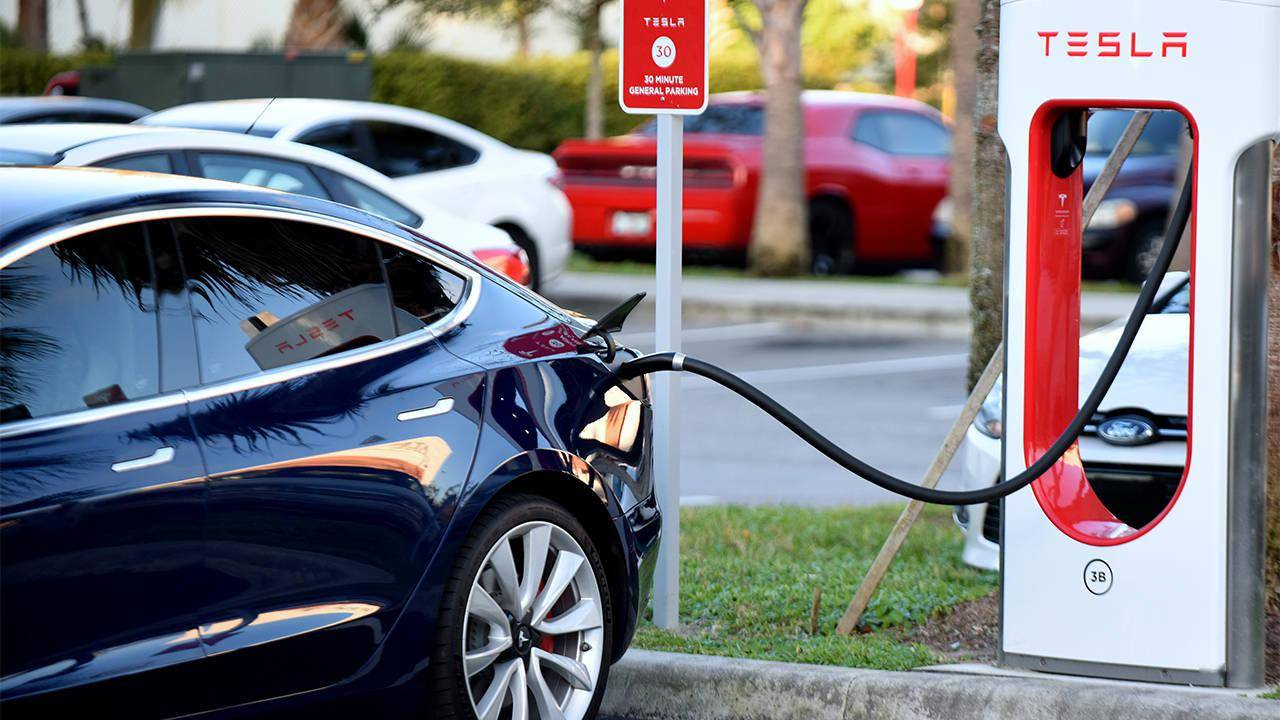
"Yuav ua li cas kom Tesla qhib thaum tus tsav tsheb tawm mus?" yog ib lo lus nug uas pheej nug. Zoo hmoo, muaj ntau txoj hauv kev los qhib koj lub Tesla txawm tias tsis nyob hauv lub tsheb.
Puas Yog Nws Muaj Kev Nyab Xeeb Tiag Tiag Rau Xauv Koj Lub Tesla Los Ntawm Lub App?
Thaum xauv koj lub Tesla ntawm lub app, nws yog ib qho tseem ceeb uas yuav tsum xav txog qhov kev pheej hmoo thiab ua raws li qhov yuav tsum tau ua kom ntseeg tau tias koj lub tsheb muaj kev nyab xeeb. Txawm hais tias lub app muab kev yooj yim, nws kuj muaj qee qhov kev txhawj xeeb txog kev ruaj ntseg.
Yuav kom txo tau cov kev pheej hmoo no, koj siv tau cov kev xaiv yuam sij tiag tiag los hloov lub app. Ua li no, koj tuaj yeem xyuas kom koj lub tsheb xauv zoo yam tsis tas siv lub app xwb.
Ib qho ntawm cov kev pheej hmoo ntawm kev siv lub app los xauv koj lub Tesla yog qhov Walk Away Door Lock feature. Txawm hais tias qhov feature no yooj yim, nws kuj muaj qee qhov kev pheej hmoo. Piv txwv li, yog tias ib tug neeg nkag mus rau koj lub xov tooj lossis tus yuam sij fob, lawv tuaj yeem yooj yim qhib koj lub tsheb yam tsis muaj koj paub.
Yuav kom tsis txhob muaj qhov no, koj tuaj yeem kaw qhov Walk Away Door Lock feature lossis siv PIN to Drive feature rau kev ruaj ntseg ntxiv.
Lwm qhov kev xav txog thaum siv lub app los xauv koj lub Tesla yog Bluetooth qhib. Xyuas kom koj lub Bluetooth ib txwm qhib thiab koj lub xov tooj nyob hauv qhov ntau ntawm koj lub tsheb. Qhov no yuav ua kom koj lub tsheb xauv zoo thiab koj tau txais kev ceeb toom yog tias muaj ib tug neeg sim nkag mus rau koj lub tsheb.
Zuag qhia tag nrho, thaum lub app muab kev yooj yim, nws yog qhov tseem ceeb kom ntsuas qhov zoo thiab qhov tsis zoo ntawm kev xauv app thiab ua cov kev ceev faj tsim nyog los xyuas kom meej tias koj lub Tesla muaj kev nyab xeeb, xws li siv cov kev xaiv xauv tsis siv neeg, PIN rau Drive feature, thiab Sentry Mode cov txiaj ntsig, thiab ceev faj nrog cov khoom siv thiab cov kev pabcuam thib peb.
Kuv Yuav Xauv Kuv Tesla Li Cas Tsis Muaj Lub App?
Yog tias koj tab tom nrhiav lwm txoj hauv kev los xauv koj lub Tesla nrog lub app, koj tuaj yeem siv cov kev xaiv yuam sij lub cev, xws li daim npav yuam sij lossis tus yuam sij fob uas muab nrog koj lub tsheb. Daim npav yuam sij yog ib lub cuab yeej nyias nyias, zoo li daim npav rho nyiaj uas koj tuaj yeem swiped hla lub qhov rooj kov kom qhib lossis xauv lub tsheb. Tus yuam sij fob yog ib qho chaw taws teeb me me uas koj tuaj yeem siv los xauv thiab qhib lub tsheb ntawm qhov deb. Cov kev xaiv yuam sij lub cev no yog ib txoj hauv kev txhim khu kev qha los tiv thaiv koj lub Tesla yam tsis tas yuav cia siab rau lub app.
Sib nrug ntawm cov kev xaiv tseem ceeb lub cev, koj tuaj yeem xauv koj lub Tesla los ntawm sab hauv los ntawm nias lub pob xauv ntawm lub qhov rooj vaj huam sib luag. Qhov no yog ib qho kev xaiv yooj yim uas tsis xav tau lwm yam cuab yeej lossis khoom siv. Tsis tas li ntawd, koj lub Tesla muaj qhov xauv tsis siv neeg thiab Walk Away Door Lock uas tuaj yeem xauv lub tsheb rau koj. Koj tuaj yeem tshem tawm koj qhov chaw nyob hauv tsev ntawm qhov feature xauv tsis siv neeg kom tsis txhob xauv koj tus kheej yam tsis tau xav txog.
Yuav kom muaj kev nyab xeeb siab tshaj plaws, koj lub Tesla muaj Sentry Mode uas saib xyuas nws ib puag ncig thaum nres tsheb. Qhov feature no siv lub koob yees duab ntawm lub tsheb los kaw cov haujlwm txawv txawv thiab xa ib daim ntawv ceeb toom rau koj lub xov tooj yog tias nws pom muaj kev hem thawj.
Lub sijhawm tshaj tawm: Kaum Ib Hlis-06-2023
