
 Portable EV Charger
 Home EV Wallbox
 DC Charger Station
 EV Charging Module
 DC Charging Connector
 EV Accessories
250kw 300kw 400kw CCS2 to GBT EV Charging Adapter
250kw 300kw 400kw CCS2 to GBT Charging Adapter | Up to 300 kW DC | for BYD, ID4/ID6, ROX, Leopard, VW ID, AVATAR & NIO, XPeng, Geely,other Chinese EVs
Using a CCS2 to GBT charging adapter allows an electric vehicle (EV) with a GBT charging port to use a DC fast-charging station equipped with a CCS2 connector. Here is a general guide on how to use one, but always refer to the specific user manual for your adapter model as procedures can vary.
1. Prepare for Charging
Park the vehicle: Safely park your EV at the CCS2 charging station.
Turn off the vehicle: Turn off the car and place it in “P” (Park) gear.
Locate the charging port: Find the DC fast-charging port on your GBT-equipped vehicle.
Check the adapter: Before use, ensure the adapter is clean, dry, and free of any visible damage. Some adapters require a small internal battery to function. Check the adapter’s status light to ensure it has enough power. If needed, some models can be charged via a mini-USB or a 5V power bank.
2. Connect the Adapter to Your Vehicle
Plug into the car: Carefully align the GBT side of the adapter with your car’s charging port and push it in until it is securely connected. Some models may have a button you need to press and hold to ensure a proper connection.
3. Connect the Charger to the Adapter
Plug into the adapter: Take the CCS2 charging cable from the station and align its connector with the CCS2 port on your adapter. Push it in firmly until it clicks and locks into place.
4. Start the Charging Session
Initiate charging: Follow the instructions on the charging station’s screen to start the charging session. This might involve using an app, an RFID card, or a credit card.
Monitor the status: The adapter will typically have an indicator light that changes color or flashes to show the charging status (e.g., blinking to indicate communication, solid green to indicate charging). The charging station’s display will also provide information on the charging progress, power output, and time remaining.
5. End the Charging Session
Stop the charge: Follow the instructions on the charging station to end the session. This is usually done through the charging station’s interface or a button on the adapter.
Disconnect the charger: Once the charging session has stopped, press the unlock button or release lever on the CCS2 charging cable and pull it out from the adapter.
Disconnect the adapter: Press the unlock button on the adapter and carefully pull it out of your vehicle’s charging port.
Store the equipment: Store the adapter in a safe, dry place and close your car’s charging port door.
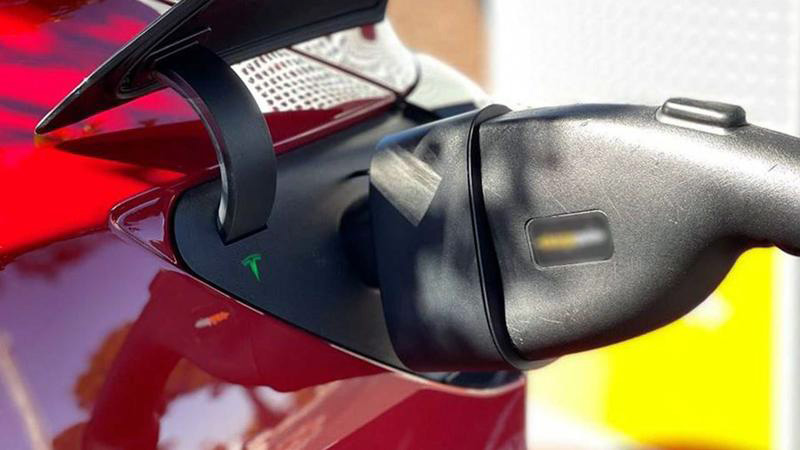
Important Safety & Usage Notes:
Compatibility: Ensure your specific adapter is designed for DC fast-charging and is compatible with both CCS2 and your GBT vehicle model. CCS2 to GBT adapters are specifically for DC charging and are not used for AC (Type 2) charging.
Protocol Conversion: The adapter is a complex piece of equipment as it must convert not only the physical plug but also the communication protocols (CCS2 uses PLC signals, while GBT DC uses CAN signals).
Firmware: Some advanced adapters may have a need for firmware updates to maintain compatibility with new vehicle models or charging stations. Check the manufacturer’s manual for details.
Weather: Do not use the adapter in severe weather conditions like heavy rain or snow.
Handle with Care: Always handle the adapter carefully. Do not drop it, pull on the cables, or subject it to strong impact.
Post time: Sep-16-2025
